

Managing inventory is one of the most important aspects of running a successful Shopify store. Whether you sell ten products or ten thousand, inventory management directly impacts customer satisfaction, cash flow, profitability, and business growth.
Poor inventory management can lead to stockouts, overselling, delayed shipments, excess storage costs, and lost revenue. On the other hand, an effective Shopify inventory management system helps ensure that the right products are available at the right time while minimizing unnecessary costs.
This step-by-step guide explains everything you need to know about Shopify inventory management, including how it works, best practices, tools, and strategies to help you streamline operations and scale your ecommerce business.
What Is Shopify Inventory Management?
Shopify inventory management is the process of tracking, organizing, controlling, and optimizing the products you sell through your Shopify store.
The Shopify platform provides built-in inventory tracking features that allow store owners to:
- Monitor stock levels
- Track inventory across locations
- Receive low-stock alerts
- Manage product variants
- Transfer inventory between locations
- Forecast inventory needs
- Prevent overselling
Inventory management ensures you maintain the right stock quantity while avoiding both understocking and overstocking.
Why Inventory Management Matters for Shopify Stores
Inventory management is essential for Shopify stores because it helps maintain the right stock levels, ensuring products are available when customers want to buy them. Effective inventory management prevents stockouts, reduces excess inventory costs, improves cash flow, and enhances customer satisfaction.
What are Benefits of Effective Shopify Inventory Management
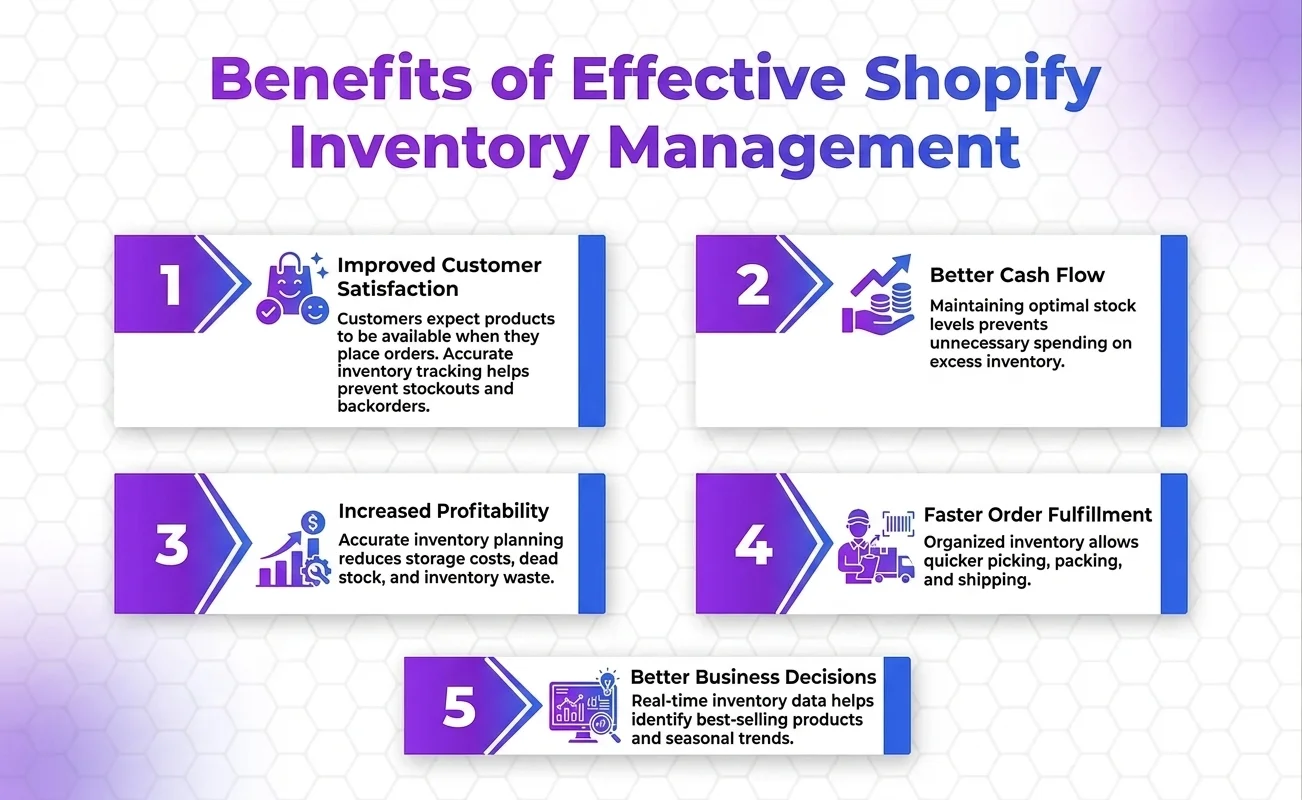
Improved Customer Satisfaction
Customers expect products to be available when they place orders. Accurate inventory tracking helps prevent stockouts and backorders.
Better Cash Flow
Maintaining optimal stock levels prevents unnecessary spending on excess inventory.
Increased Profitability
Accurate inventory planning reduces storage costs, dead stock, and inventory waste.
Faster Order Fulfillment
Organized inventory allows quicker picking, packing, and shipping.
Better Business Decisions
Real-time inventory data helps identify best-selling products and seasonal trends. Businesses using Shopify Store Management Services can leverage these insights to maintain optimal stock levels, improve inventory accuracy, and make smarter purchasing decisions.
Common Shopify Inventory Challenges
Many ecommerce businesses face inventory-related problems, including:
- Running out of stock unexpectedly
- Overselling products
- Overstocking slow-moving items
- Managing inventory across multiple warehouses
- Tracking product variants
- Forecasting seasonal demand
- Handling returns efficiently
Understanding these challenges is the first step toward building a more efficient inventory management system.
How Shopify Inventory Management Works
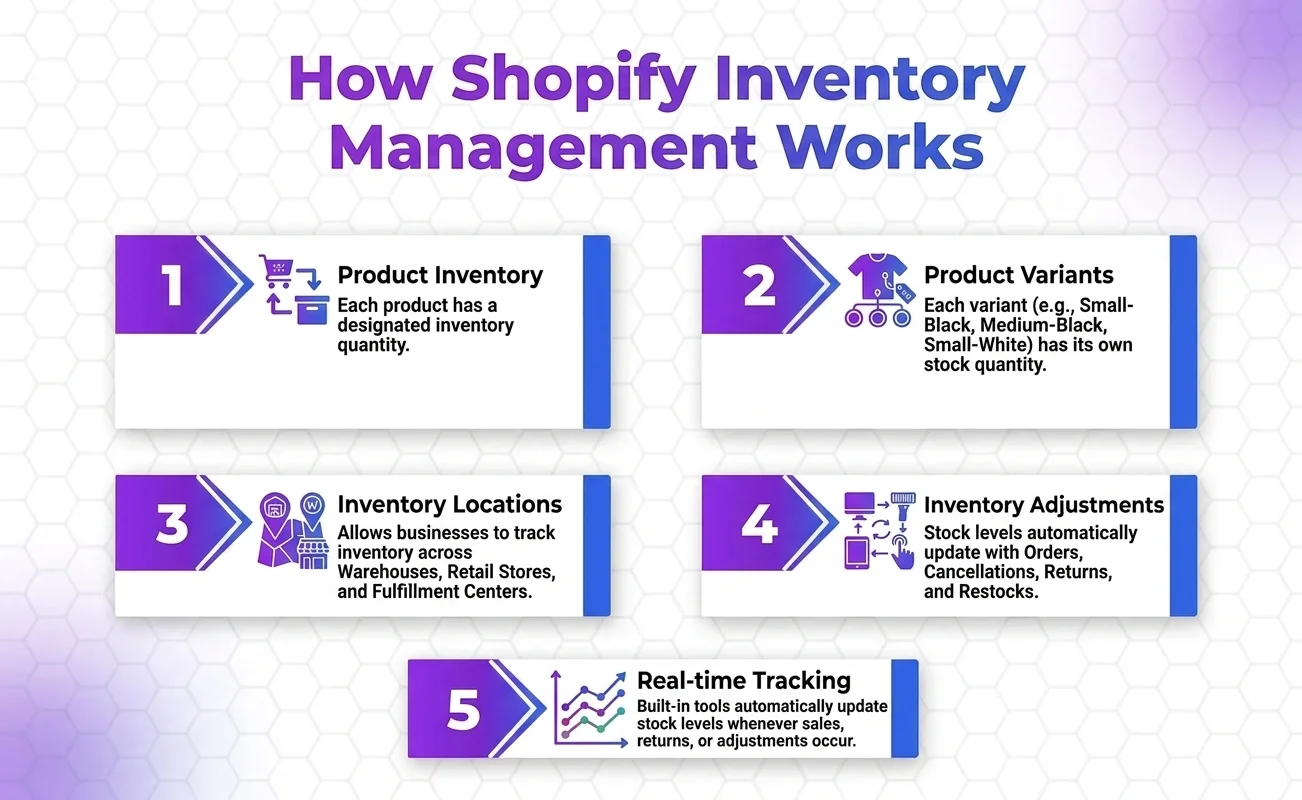
Shopify includes built-in inventory management tools that automatically update stock levels whenever sales, returns, exchanges, or manual adjustments occur.
The system tracks inventory using:
Product Inventory
Each product has a designated inventory quantity.
Product Variants
Different sizes, colors, and styles are tracked individually.
Example:
A t-shirt may have:
- Small – Black
- Medium – Black
- Large – Black
- Small – White
- Medium – White
- Large – White
Each variant has its own stock quantity.
Inventory Locations
Shopify allows businesses to track inventory across:
- Warehouses
- Retail stores
- Fulfillment centers
- Third-party logistics providers (3PLs)
Inventory Adjustments
Stock levels automatically update when:
- Orders are placed
- Orders are canceled
- Returns are processed
- Products are restocked
- Manual changes are made
Step-by-Step Shopify Inventory Management Setup
Step 1: Enable Inventory Tracking
The first step is enabling inventory tracking for each product.
How to Enable Inventory Tracking
- Open Shopify Admin
- Click Products
- Select a product
- Scroll to the Inventory section
- Check “Track Quantity”
- Enter available stock
Once enabled, Shopify automatically deducts inventory after each sale.
Step 2: Organize Your Product Catalog
A well-structured product catalog simplifies inventory management.
Best Practices
- Use clear product names
- Create accurate SKUs
- Organize products into collections
- Maintain consistent naming conventions
- Group variants logically
Example SKU Structure:
- SHIRT-BLK-S
- SHIRT-BLK-M
- SHIRT-BLK-L
This makes inventory tracking much easier as your catalog grows.
Step 3: Set Inventory Quantities
Accurate inventory quantities are essential.
For each product, enter:
- Available stock
- Incoming inventory
- Safety stock levels
Regular inventory audits help ensure data accuracy.
Step 4: Configure Inventory Locations
If you operate from multiple locations, configure them within Shopify.
Examples of Locations
- Main warehouse
- Retail store
- Distribution center
- Third-party fulfillment provider
Benefits include:
- Better stock visibility
- Faster shipping
- Improved order routing
- Enhanced customer experience
Step 5: Enable Low Stock Alerts
Low stock notifications help prevent stockouts.
Shopify and third-party inventory apps can notify you when stock reaches a predefined threshold.
For example:
- Notify at 20 units
- Reorder at 10 units
- Emergency replenishment at 5 units
This proactive approach reduces lost sales opportunities.
Step 6: Monitor Inventory Reports
Shopify provides valuable inventory reports.
Key reports include:
Inventory on Hand
Shows current stock levels.
Inventory Value
Displays the monetary value of your inventory.
Sell-Through Rate
Measures how quickly products sell.
Days of Inventory Remaining
Estimates how long current inventory will last.
Regular analysis helps optimize purchasing decisions.
Step 7: Manage Inventory Transfers
Businesses with multiple locations often transfer inventory between sites.
Shopify allows inventory transfers to:
- Replenish stock
- Balance inventory
- Reduce stockouts
Track transfers carefully to maintain accurate inventory records.
Step 8: Conduct Inventory Audits
Inventory discrepancies happen.
Common causes include:
- Human error
- Damaged products
- Theft
- Returns processing mistakes
Regular audits help identify issues before they become costly.
Recommended Audit Schedule
- Weekly for high-volume stores
- Monthly for growing businesses
- Quarterly for smaller operations
Best Shopify Inventory Management Practices
Maintain Safety Stock
Safety stock acts as a buffer against unexpected demand spikes.
Benefits include:
- Preventing stockouts
- Handling supplier delays
- Managing seasonal fluctuations
Safety stock is especially important for fast-selling products.
Forecast Demand Accurately
Inventory forecasting uses historical sales data to predict future demand.
Consider:
- Seasonal trends
- Promotional campaigns
- Market changes
- Industry trends
- Product launches
Better forecasting improves purchasing decisions and profitability. Better forecasting improves purchasing decisions and profitability. Businesses that need advanced inventory automation can benefit from Shopify Development Services to create custom inventory workflows and reporting systems.
Apply ABC Inventory Analysis
ABC analysis categorizes inventory based on value and importance.
A Products
High-value products with significant revenue impact.
B Products
Moderate-value products with consistent demand.
C Products
Lower-value products with less impact on revenue.
This method helps prioritize inventory management efforts.
Reduce Dead Stock
Dead stock refers to products that rarely or never sell.
Strategies include:
- Discounting slow-moving items
- Bundling products
- Running promotional campaigns
- Offering clearance sales
Reducing dead stock improves cash flow and warehouse efficiency.
Use SKU Management Effectively
Every product should have a unique SKU.
Benefits include:
- Faster tracking
- Improved reporting
- Better inventory accuracy
- Simplified warehouse operations
Strong SKU systems become essential as product catalogs expand.
Shopify Inventory Management for Multi-Channel Selling
Many Shopify businesses sell across multiple channels.
Examples include:
- Amazon
- eBay
- Etsy
- Facebook Shop
- Instagram Shop
- TikTok Shop
Without centralized inventory management, overselling becomes a major risk.
Inventory synchronization ensures stock levels remain accurate across all sales channels.
Benefits include:
- Real-time updates
- Fewer inventory errors
- Better customer experience
- Simplified operations
Top Shopify Inventory Management Apps

While Shopify’s native inventory tools are excellent, many businesses benefit from advanced inventory apps.
Stocky
Ideal for Shopify POS users.
Features:
- Demand forecasting
- Inventory planning
- Purchase order creation
- Supplier management
Katana
Designed for manufacturers.
Features:
- Production planning
- Inventory tracking
- Raw material management
Cin7
Suitable for multi-channel retailers.
Features:
- Warehouse management
- Inventory synchronization
- Advanced reporting
Inventory Planner
Focused on forecasting and replenishment.
Features:
- Inventory optimization
- Demand prediction
- Purchasing recommendations
How AI Is Improving Shopify Inventory Management
Artificial intelligence is transforming ecommerce inventory operations.
Modern inventory solutions can:
- Predict demand patterns
- Automate reordering
- Identify sales trends
- Reduce stockouts
- Optimize warehouse operations
AI-driven inventory management helps merchants make faster and more accurate decisions.
As ecommerce becomes more competitive, AI-powered forecasting and inventory optimization are becoming essential rather than optional.
Common Shopify Inventory Management Mistakes to Avoid
Ignoring Inventory Reports
Reports provide valuable insights for purchasing and planning decisions.
Not Forecasting Demand
Reactive inventory management often leads to stockouts and excess inventory.
Keeping Too Much Inventory
Excess stock ties up cash and increases storage costs.
Poor SKU Organization
Disorganized SKUs create confusion and reporting challenges.
Failing to Audit Inventory
Without regular audits, inaccuracies accumulate over time.
Avoiding these mistakes can significantly improve operational efficiency and profitability.
FAQs
Does Shopify Have Built-In Inventory Management?
Yes. Shopify includes inventory tracking, stock management, location management, inventory transfers, and reporting features.
Can Shopify Track Inventory Across Multiple Locations?
Yes. Shopify supports inventory management across warehouses, retail stores, fulfillment centers, and other locations.
How Often Should Inventory Be Counted?
High-volume stores should conduct weekly or monthly inventory audits, while smaller businesses may perform quarterly audits.
What Is Safety Stock?
Safety stock is extra inventory kept on hand to protect against unexpected demand increases or supply chain disruptions.
What Is the Best Shopify Inventory Management App?
The best app depends on your business requirements. Popular options include Stocky, Katana, Cin7, and Inventory Planner.
Final Thoughts
Effective Shopify inventory management is critical for ecommerce success. It helps businesses maintain accurate stock levels, improve customer satisfaction, reduce operational costs, and maximize profitability.
By enabling inventory tracking, organizing products correctly, monitoring reports, forecasting demand, maintaining safety stock, and leveraging advanced inventory tools, Shopify merchants can create a scalable inventory system that supports long-term growth.
Whether you’re running a small online store or managing thousands of products across multiple sales channels, investing in proper inventory management will help you avoid costly mistakes and build a more efficient, profitable ecommerce business.
The most successful Shopify stores treat inventory as a strategic asset , not just a backend operation. When managed correctly, inventory becomes a powerful driver of growth, customer loyalty, and sustainable ecommerce success