

Shopify inventory management is often the unsung hero of successful ecommerce operations. Many store owners get caught up in design, marketing, or product listings, forgetting that managing stock efficiently is the backbone of revenue growth.
Over the years, we’ve seen clients struggle with overselling, mismanaged SKUs, and lost revenue simply because their Shopify store inventory management wasn’t set up strategically.
Inventory management in Shopify isn’t just ticking boxes, it’s a system that ensures the right products are in the right place at the right time. From syncing with your suppliers to understanding real-time sales trends, a robust Shopify inventory management system becomes a powerful tool for scaling your store.
We’ve worked with multiple brands where streamlining inventory wasn’t a luxury but a necessity. For instance, one of our clients, a sustainable fashion brand, was constantly running out of their top-selling items.
Implementing inventory management software for Shopify helped them forecast demand better, reduce stockouts by 40%, and even optimize warehouse storage.
In this guide, we’ll break down Shopify inventory management features, highlight the best apps, walk through a step-by-step setup, and share advanced tips to level up your ecommerce game. By the end, you’ll have a clear roadmap to mastering inventory without the stress.
What Is Shopify Inventory Management?
Shopify inventory management is the process of tracking, controlling, and optimizing stock across your online store and sales channels. It’s about knowing what’s in your warehouse, what’s on its way, and what’s selling fastest.
Done right, it allows businesses to avoid overstocking, understocking, and all the headaches in between.
Inventory management in Shopify integrates your store with tools and apps that automate much of the process. For example, tracking stock levels, receiving automatic low-stock alerts, and generating reports that highlight sales trends become effortless.

We’ve found that stores using a structured Shopify inventory management system gain not just operational efficiency but also insights that inform marketing campaigns and product launches.
One client, an online nutrition store, was struggling to keep track of multiple product variants across different fulfillment centers.
Their Shopify plus inventory management setup helped consolidate all inventory in one system, automatically syncing stock levels and allowing the team to focus on growth strategies rather than firefighting stock discrepancies.
Inventory management software for Shopify often includes:
- Real-Time Stock Updates: Ensures stock levels are accurate across multiple channels.
- Order Tracking: Helps prevent overselling by syncing orders in real time.
- Supplier Integration: Keeps inventory aligned with incoming shipments and purchase orders.
By treating inventory as a live asset instead of a static number in your backend, Shopify inventory management transforms your store into a proactive, data-driven operation. We’ve noticed that clients who embrace these practices not only increase efficiency but also enhance customer trust, as products are rarely “out of stock” unexpectedly.
Shopify Inventory Management Features Explained
Understanding Shopify inventory management features is crucial because it’s the difference between guessing your stock and knowing it inside out.
Shopify offers built-in tools, and additional apps expand capabilities, allowing businesses to customize solutions based on their needs.
- Stock Management: Shopify inventory management allows precise tracking of each SKU, variant, and bundle.
Clients with multiple product lines often underestimate the complexity of stock management until they see overselling or misplaced items affecting revenue. With stocky inventory management, Shopify tools, we can set reorder points and automated restocking to prevent disruptions.
- Multi-Channel Integration: Shopify isn’t just about your online store. Selling on marketplaces like Amazon, Etsy, or social media? Shopify’s inventory management systems sync inventory across all channels.
We’ve helped brands reduce inventory discrepancies by integrating all their channels into one view, which saved them countless hours of manual reconciliation.
- Analytics & Reporting: Shopify inventory management provides insights beyond stock numbers. Reports highlight sales trends, slow-moving items, and inventory turnover. For instance, a coaching products client used this data to identify which digital courses were underperforming versus physical merch, leading to smarter restocking and marketing campaigns.
- Automation: Automation is a game-changer. From automatically updating stock levels to generating purchase orders, we’ve seen stores reduce manual errors and free teams to focus on growth strategies.
Using Shopify API inventory management features, automation can also trigger alerts for low stock, overstock, or supplier delays.
- Custom Alerts & Notifications: Many stores miss out on opportunities because they’re not alerted in time. Shopify’s inventory system allows setting custom thresholds for notifications. One health and fitness client we worked with avoided a holiday sales disaster because they received automated alerts to restock their best-selling nutrition bundles.
- Supplier & Warehouse Integration: Inventory management in Shopify can connect with your suppliers’ systems, keeping the chain transparent.
With proper setup, we’ve enabled clients to forecast needs, reduce holding costs, and optimize warehouse layouts for maximum efficiency.

The combination of these features creates a powerful ecosystem where inventory is no longer a headache but a driver of strategy. Using Shopify inventory management features effectively can make the difference between reactive ecommerce operations and proactive, scalable business management.
Best Inventory Management Apps for Shopify
While Shopify has robust built-in tools, integrating the right Shopify inventory management app can elevate operations significantly. Selecting the best inventory management Shopify app is about understanding business needs and scalability.
Stocky by Shopify
Stocky is ideal for physical product retailers. It automates purchase orders, tracks supplier performance, and predicts inventory requirements based on historical data. A sustainable food brand we worked with used Stocky to forecast seasonal demand accurately, cutting excess stock by 30%.
TradeGecko (Now QuickBooks Commerce)
This app allows advanced inventory tracking, multi-channel sales syncing, and analytics. For a client in the fashion industry, TradeGecko’s Shopify app inventory management features helped integrate their brick-and-mortar store with online sales seamlessly.
SkuVault
SkuVault excels at warehouse management and batch tracking. It ensures accurate stock counts, reduces mispicks, and integrates easily with Shopify stores. A coaching supplies client reduced shipment errors by 50% after integrating SkuVault.
Zoho Inventory
Zoho Inventory integrates well with Shopify, offering order management, multi-channel stock syncing, and analytics. One of our online education clients benefited from Zoho’s reporting features to plan content launches with better inventory preparedness for associated merch.
Cin7
Cin7 combines POS, inventory, and warehouse management. It’s particularly useful for clients managing multiple sales channels. We helped a nutrition supplement client automate their distribution, resulting in faster shipping and more accurate stock counts.
When choosing the best Shopify inventory management app, consider:
- Integration capabilities with your store and channels
- Forecasting and reporting features
- Ease of use and automation
- Cost relative to the scale of your operations
The right app acts as a partner in growth. We often tell clients that investing in the best inventory management Shopify app is not about saving money but unlocking efficiency and scalability that pays for itself in operational gains and reduced stock errors.
Step-by-Step Setup for Shopify Inventory Management
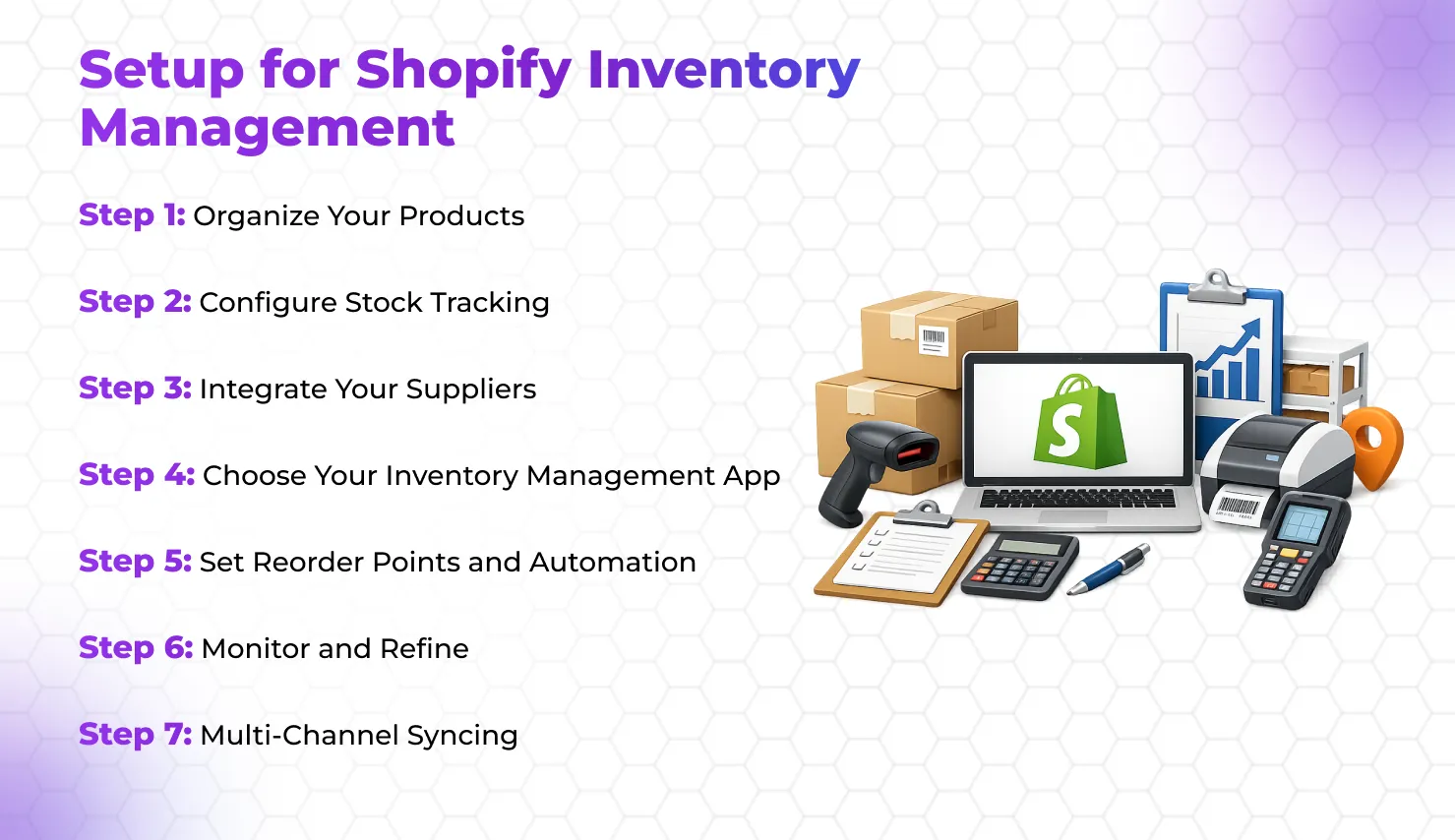
Setting up Shopify inventory management is a process, but it doesn’t have to be overwhelming. Following a structured approach ensures you leverage every feature effectively.
Step 1: Organize Your Products
Begin by cataloging all your SKUs. Each product should have clear identifiers: SKU, variant, category, and supplier info. We assisted an e-commerce client in cleaning up their product database, which reduced errors during sync and made forecasting more accurate.
Step 2: Configure Stock Tracking
Enable Shopify store management software features to track stock levels. Decide which products require automatic restocking alerts. For a fitness nutrition client, setting low-stock alerts prevented overselling during peak seasons.
Step 3: Integrate Your Suppliers
Connect suppliers via Shopify API inventory management. Real-time updates from suppliers help prevent stockouts and reduce manual reconciliation. For a sustainable fashion client, supplier integration reduced lead times for seasonal collections.
Step 4: Choose Your Inventory Management App
Depending on complexity, pick an app like Stocky or TradeGecko. Install, sync products, and test automation features. We often guide clients in mapping workflows to ensure smooth adoption.
Step 5: Set Reorder Points and Automation
Use the app to define reorder thresholds. Automation triggers purchase orders when stock dips below these levels. A coaching products client now enjoys automated restocks, reducing manual interventions by 70%.
Step 6: Monitor and Refine
Regularly analyze reports, track trends, and adjust thresholds. Inventory management in Shopify isn’t “set and forget”—continuous optimization ensures efficiency. We review client dashboards monthly to identify bottlenecks and opportunities.
Step 7: Multi-Channel Syncing
Ensure the Shopify inventory management system synchronizes with all channels: Amazon, social stores, or physical outlets. For a client selling fitness gear online and offline, syncing prevented overselling by aligning all platforms.
By following this step-by-step setup, Shopify inventory management becomes a strategic tool rather than just a backend task. The right setup allows businesses to scale without fearing stock mismanagement.
Advanced Tips for Shopify Inventory Management
Once you’ve set up your Shopify inventory management system, advanced tips can take efficiency and insights to the next level.
Forecast Demand Using Analytics:
Shopify inventory management features often include historical sales data and analytics. We advise clients to study trends, seasonality, and product popularity. For example, a nutrition brand predicted holiday sales spikes and pre-stocked products to avoid lost revenue.
Use Bundles and Kits Strategically:
Bundling products can increase average order value and optimize inventory turnover.

One client created wellness kits combining supplements and books, streamlining inventory while boosting sales.
Integrate with Marketing Campaigns:
Inventory insights inform marketing. Low-stock or trending items can guide promotions. We helped a sustainable fashion client align email campaigns with stock levels, creating urgency without overpromising.
Optimize Warehouse Layout:
The physical arrangement affects inventory efficiency. Using insights from Shopify store inventory management software, we advised clients to reorder storage for high-velocity SKUs, reducing picking time significantly.
Automate Reporting:
Set up automated reports to track KPIs like stockouts, deadstock, and turnover. This helps in strategic decision-making and keeps management informed without manual effort.
Leverage Shopify API Inventory Management:
Custom API integrations allow real-time syncing with suppliers or third-party logistics. A client selling coaching merchandise benefited from API integration that updated stock instantly across 3 warehouses.
Evaluate App Ecosystem Regularly:
The Shopify ecosystem evolves rapidly. Regularly reviewing your apps ensures you’re using the best inventory management Shopify app to leverage new features and stay ahead of competitors.
Applying these advanced strategies ensures inventory management isn’t just operational but a growth lever. Clients who adopt these practices see reduced errors, faster fulfillment, and happier customers.
Elevate Your Shopify Experience with The Meta Future
Mastering Shopify inventory management is about turning chaos into clarity, ensuring your store runs smoothly, and making data-driven decisions that fuel growth.
From understanding features to selecting the best inventory management apps for Shopify, the key is to integrate systems thoughtfully and continuously refine processes.
We have helped multiple brands optimize inventory management in Shopify, enhancing efficiency, preventing overselling, and creating a seamless experience for their customers.
The right setup, coupled with advanced tips and tools, transforms inventory from a backend task into a strategic asset.
Partnering with an expert team ensures your Shopify store leverages inventory management for maximum efficiency and growth. With the right guidance and tools, your business can thrive in a competitive ecommerce landscape.