


If you’ve been running your e-commerce store on Magento for a while, you already know the drill. The platform is powerful, no doubt about it. But it’s also the kind of powerful that requires a dedicated developer, a decent server budget, and a whole lot of patience just to keep things running.
A routine update that should take a day somehow turns into a two-week sprint. Your hosting bill keeps climbing. And every time you want to make a small design tweak, someone’s quoting you a mini-project.
A lot of store owners reach this exact breaking point, and that’s exactly when Magento to Shopify migration starts to look very appealing.
Shopify has evolved into something genuinely remarkable for e-commerce businesses of all sizes. Brands like Gymshark, Tesla Motors, and Red Bull run on it. It’s fast, fully hosted, and doesn’t require a developer just to update a banner.
But here’s the thing, migrating platforms isn’t something you do over a weekend with a cup of coffee. Done wrong, it can tank your SEO rankings, scatter your customer data, and leave your storefront looking like it was put together in a hurry.
Done right, it sets you up for smoother operations, better conversions, and a platform that actually grows with you.
In this guide, we’re going to walk through everything, the what, the why, the detailed checklist, the step-by-step process, and the services worth considering when you’re ready to make the move.
What Is Magento & Shopify?
Magento is a powerful open-source ecommerce platform known for its deep customization capabilities. It gives businesses complete control over their store architecture, database structure, and functionality.
Large enterprises appreciate Magento for its scalability and flexibility. However, that flexibility comes with responsibility. Hosting, maintenance, security updates, and performance optimization require technical expertise.
We’ve seen brands thrive on Magento when they had in-house development teams. Complex catalogs, custom pricing rules, and intricate B2B workflows are where Magento shines. But when the business model shifts toward agility and speed, the overhead can feel heavy.
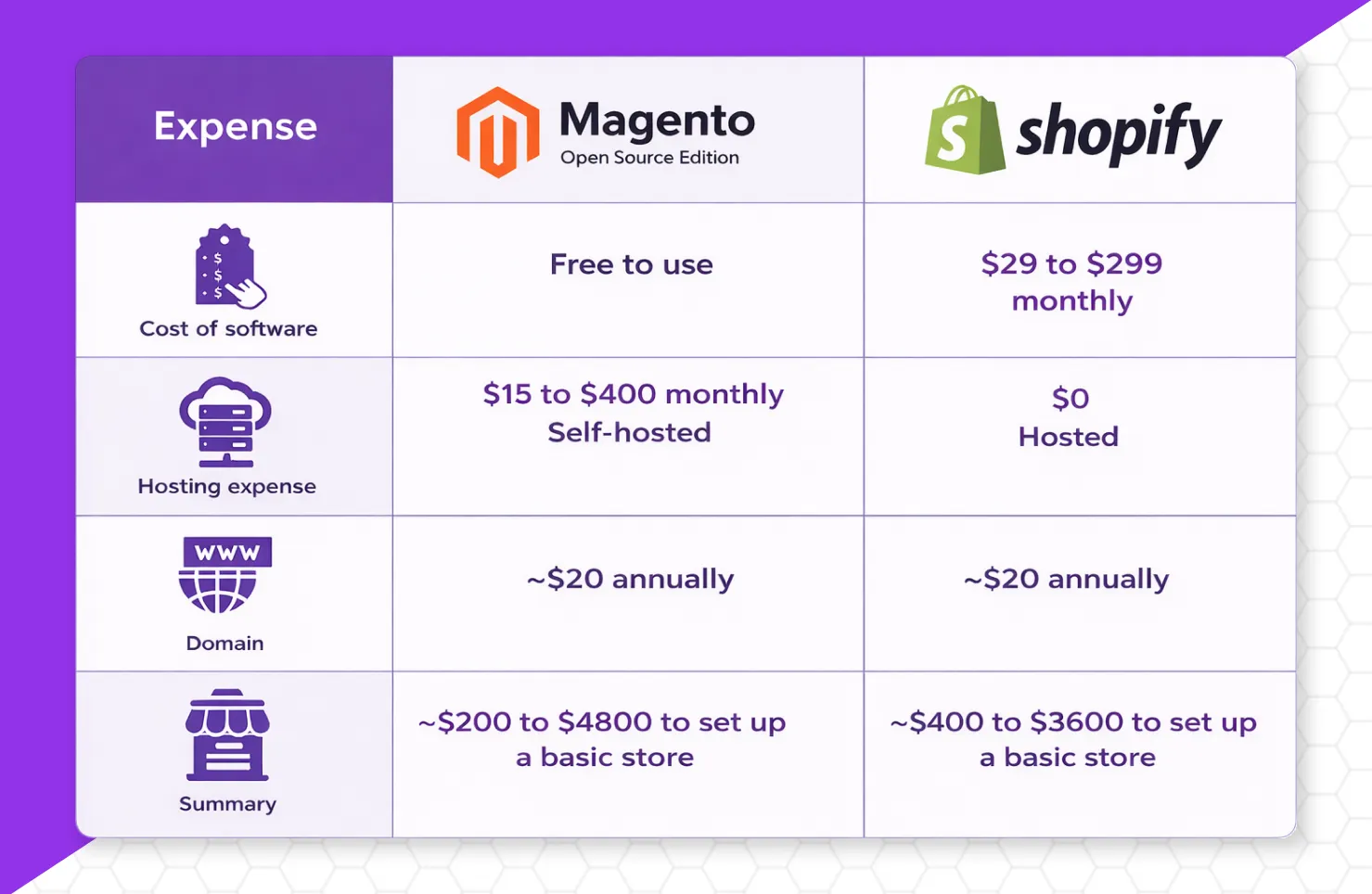
Shopify, on the other hand, is a hosted SaaS ecommerce platform designed for simplicity and scalability. It handles hosting, security, updates, and performance infrastructure. The focus shifts from technical maintenance to growth and marketing.
During a recent migration project for a sustainable food brand, we noticed something interesting. On Magento, their team spent more time coordinating with developers. After moving to Shopify, their internal focus shifted toward campaigns, partnerships, and product expansion.
Magento gives control. Shopify gives momentum.
Understanding this difference is the foundation of any step by step guide Magento to Shopify migration process.
Why Migrate from Magento to Shopify?
Let’s be honest here, no one migrates platforms just for fun. It’s a significant investment of time, money, and organizational energy. So the reasons need to be compelling enough to justify the disruption. And for most businesses we’ve worked with, they absolutely are.
1. Reduced Technical Overhead
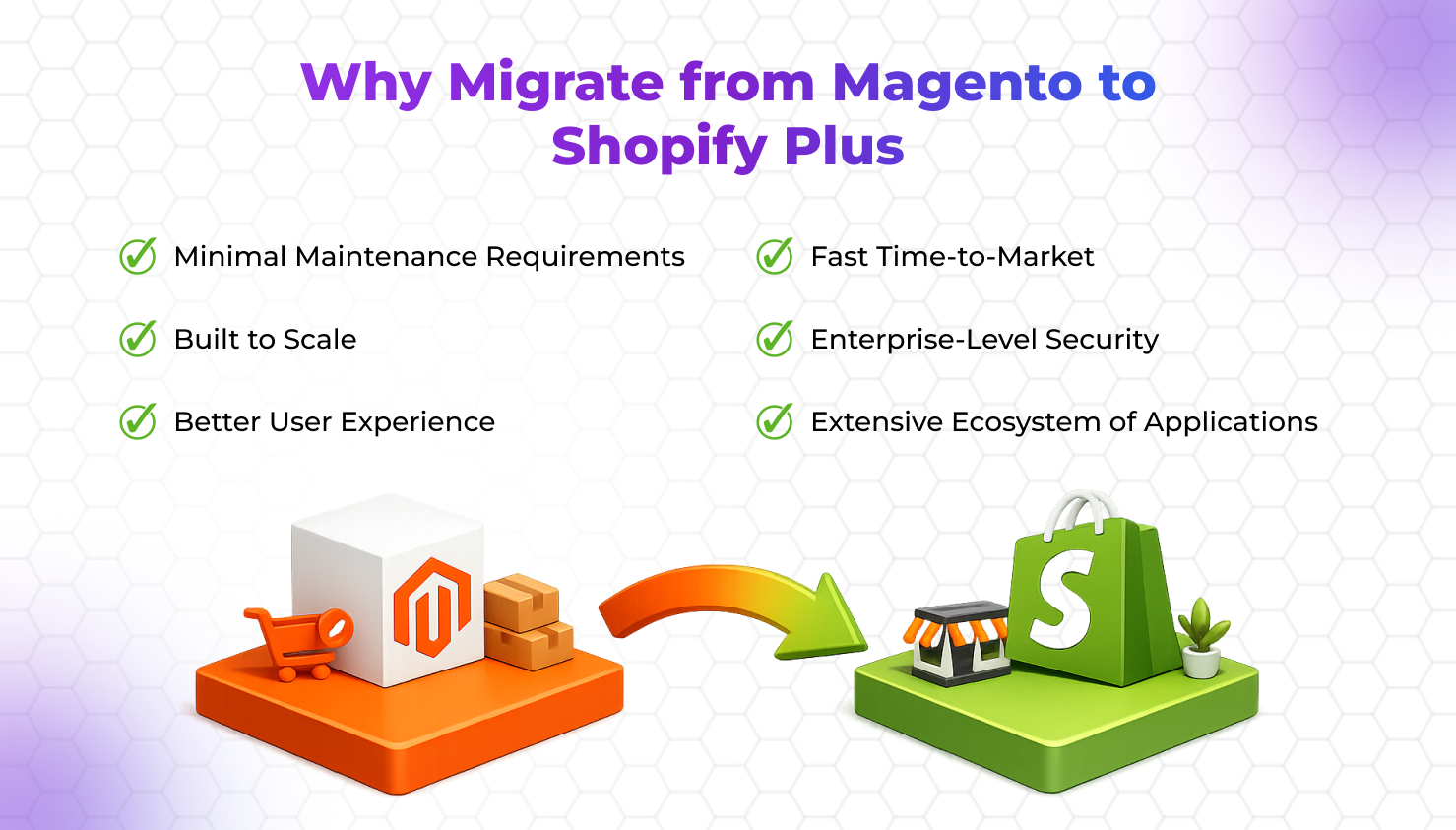
Magento requires dedicated hosting, server management, security patches, and ongoing development. Shopify removes those layers. For brands that want predictable operational costs, this matters.
One client in the EdTech space reduced technical support expenses significantly after migrating. Their leadership team could finally allocate budget toward digital marketing rather than server maintenance.
2. Faster Time to Market
Launching a new feature in Magento often involves development cycles. Shopify’s ecosystem of apps simplifies implementation.
We’ve launched promotional campaigns in days on Shopify that would have taken weeks on Magento. Speed compounds growth.
3. Improved Performance & Hosting Stability
Shopify’s infrastructure is optimized for ecommerce performance. Site speed directly impacts conversion rate and SEO rankings.
When discussing Magento to Shopify migration cost with clients, we emphasize hidden performance costs. Slow pages don’t just frustrate users; they affect revenue.
4. Simplified User Experience
Shopify’s admin dashboard is intuitive. Teams can manage products, orders, and discounts without technical knowledge.
For growing brands, internal efficiency is underrated. Reduced dependency on developers improves operational flow.
5. App Ecosystem & Integrations
Shopify integrates seamlessly with marketing tools, analytics platforms, and payment gateways. While Magento supports integrations, implementation is often more complex.
6. Predictable Cost Structure
Magento involves hosting fees, development retainers, and maintenance expenses. Shopify offers subscription-based pricing.
When evaluating Magento to Shopify migration cost, brands often realize long-term operational predictability outweighs migration investment.
7. Focus on Growth
The biggest shift we observe post-migration is mindset. Teams stop worrying about backend maintenance and start focusing on customer acquisition, UX refinement, and CRO optimization.
That’s the real advantage.
Step-by-Step Guide: Magento to Shopify Migration
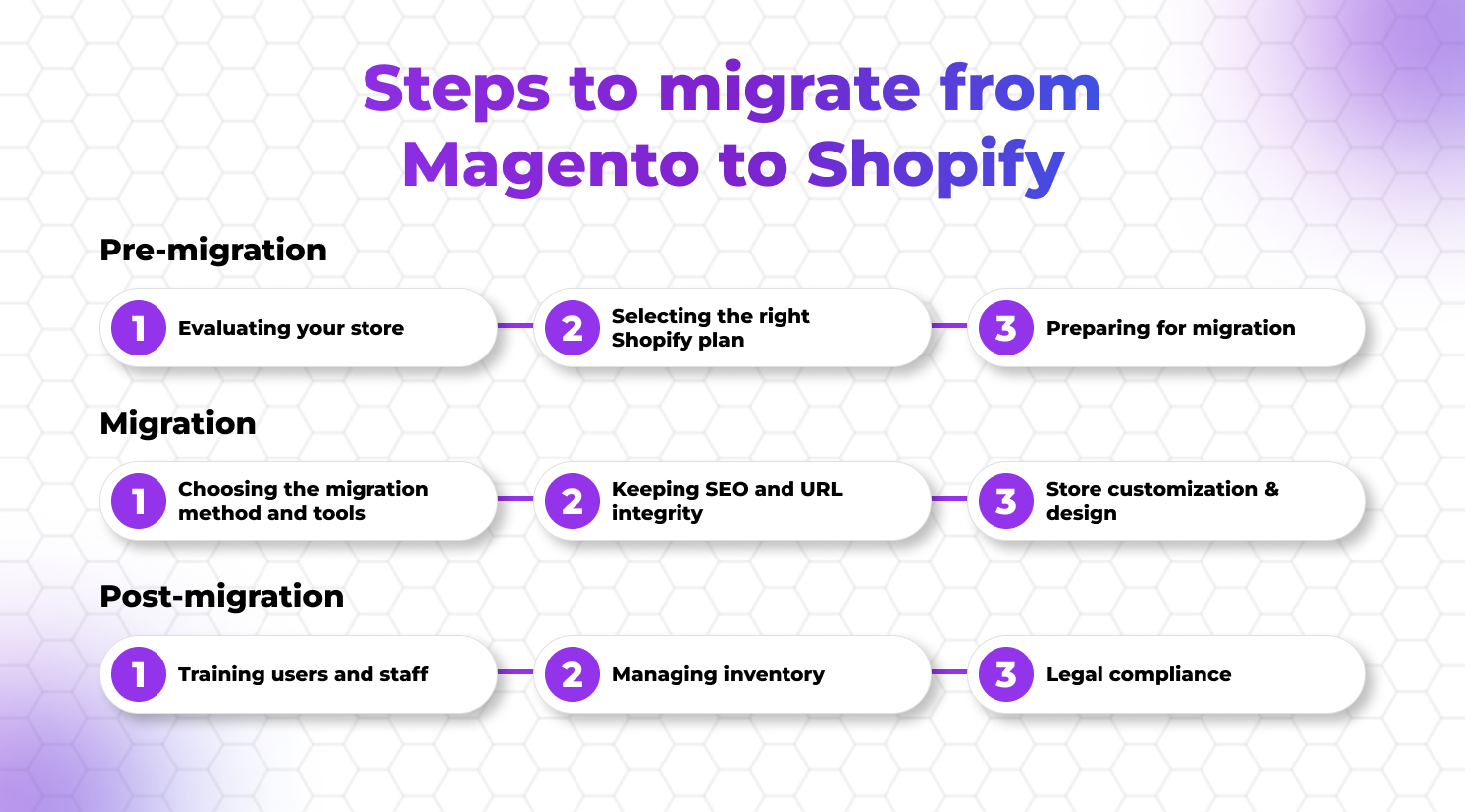
This is the practical engine of the whole process. A step by step guide to Magento to Shopify migration needs to be both technically clear and strategically sound. Here’s how to execute it properly.
Step 1: Back Up Your Magento Store
Repeat: back up everything first. Log in to your Magento Admin Panel, go to System > Tools > Backups, and run a complete database backup. Download the backup files and store them in at least two secure locations.
This step takes thirty minutes and can save you weeks of recovery work if anything goes wrong downstream. Don’t skip it. Don’t rush it.
Step 2: Set Up Your Shopify Store
Head to Shopify.com and start your free trial. You don’t need to be on a paid plan to begin setting things up, Shopify gives you time to configure your store before you go live.
Enter your store name, connect your custom domain (you’ll point it to Shopify later, closer to launch day), and work through the initial setup checklist in the Shopify admin.
Configure your payment gateways, tax settings, and shipping zones. These operational settings need to be in place before products and orders arrive, your store will be technically live but commercially broken.
Step 3: Choose Your Migration Method
There are three broad approaches, and the right choice depends on your store’s complexity, your team’s technical capacity, and your budget.
The first is manual migration via CSV files. This involves exporting your Magento data as CSV files (via System > Data Transfer > Export in the Magento admin) and importing them into Shopify using Shopify’s native import tool.
This works well for simple stores with clean data and limited customization. The downside is that it’s time-consuming, error-prone for large catalogs, and doesn’t handle customer passwords or order history particularly elegantly.
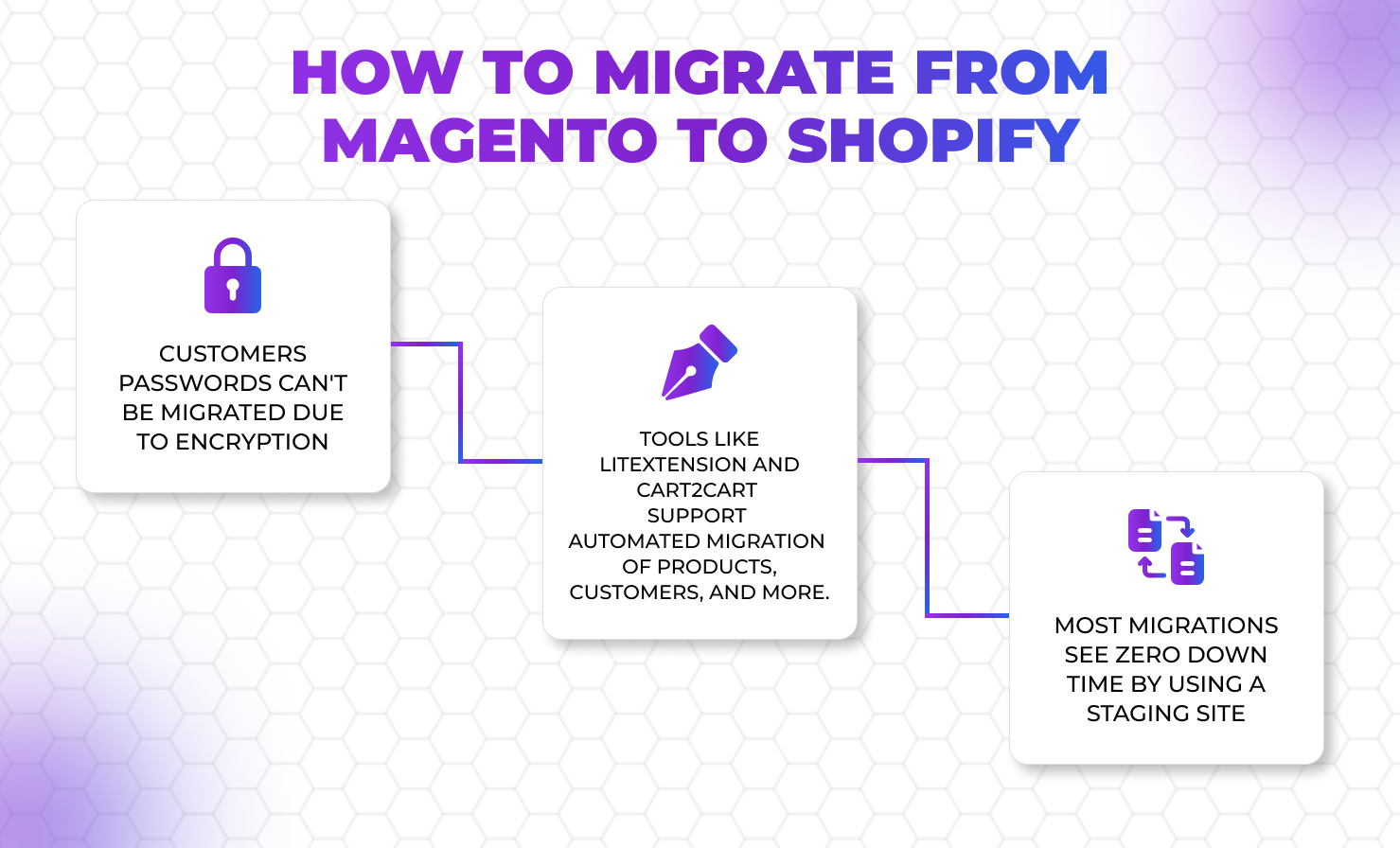
The second approach is automated migration tools. Tools like LitExtension, Cart2Cart, and Matrixify are purpose-built for this.
They connect directly to both your Magento and Shopify stores, map your data fields automatically, and handle the bulk transfer with far less manual work. LitExtension, for example, supports migration of products, customers, orders, reviews, and SEO metadata in a structured three-step process.
Most of these tools offer a free demo migration of a limited number of records, run this before committing to a full migration so you can verify data accuracy and catch mapping issues early.
The third approach is professional migration services. For complex Magento stores, those with extensive customizations, large product catalogs, intricate B2B functionality, or multiple storefronts, a professional Magento to Shopify migration service is the most reliable choice.
This is what we handle for clients whose stores are too valuable to risk on a partially automated process.
Step 4: Export Data from Magento
Using your chosen method, export your data from Magento. For the built-in export, navigate to Admin > System > Data Transfer > Export. Select your data entities, products, customers, orders, and choose your file format (CSV for manual import, XML for automated tools).
When exporting product data, ensure every relevant field is included: SKU, title, full description, status, pricing, special pricing, inventory levels, weight, images, and any custom attributes specific to your products.
Pay particular attention to your category structure during export. Magento’s hierarchical category tree doesn’t translate directly to Shopify’s collection system, so you’ll need a clear mapping document that shows which Magento categories become which Shopify collections, and which product tags will be used to build automated collections.
Step 5: Import Data to Shopify
With your Shopify store configured and your data prepared, begin the import process. Start with products, getting your product catalog properly structured in Shopify first means collections, inventory, and merchandising can be configured correctly before customer and order data arrives.
If using a migration tool, follow its specific wizard instructions; the broad steps are consistent across tools: connect source (Magento) and target (Shopify), select entities to transfer, configure additional options (such as SEO redirect setup and ID preservation), run the demo migration, review results, and then launch the full migration.
For complex product types that don’t transfer cleanly, bundled products, configurable products with multiple variants, products with custom attributes, plan to rebuild these manually in Shopify after the bulk migration completes.
Document which products need manual work before you start, so nothing slips through the cracks.
Step 6: Set Up 301 Redirects
This is arguably the most SEO-critical step in the entire migration. Every Magento URL that changes in the transition to Shopify needs a 301 redirect pointing to its new Shopify equivalent.
In Shopify, navigate to Online Store > Navigation > URL Redirects to add your redirects. For large stores with hundreds or thousands of URLs, tools like the Matrixify app can bulk-import redirect files.
Your redirect map should cover product pages, category pages (now collection pages), CMS and blog pages, and any important internal links. Test every high-priority redirect manually after setup. One missed redirect on a page that’s been generating organic traffic for years can quietly cost you significant rankings.
Step 7: Customize Your Shopify Theme
Your Magento theme cannot be used on Shopify, Shopify uses its own Liquid templating language, so you’re starting fresh on the design side.
This is actually an opportunity, not a limitation. Browse Shopify’s theme store and select a theme that aligns with your brand aesthetic and product type. Free themes like Dawn are clean, fast, and highly customizable. Premium themes offer more out-of-the-box functionality for specific industries.
Configure your theme to match your brand identity: upload your logo, set your brand colors and typography, and structure your homepage, collection pages, and product pages. If your Magento store had a distinctive design or UX that your customers are familiar with, document those design decisions and recreate them intentionally in Shopify.
A jarring visual overhaul combined with a platform migration is double the disorientation for your returning customers.
Step 8: Reconnect Your Apps, Integrations, and Tools
Every extension or integration you had on Magento needs a Shopify equivalent. Work through your audit document from Step 1 and find the corresponding Shopify apps for each.
Email marketing platforms, loyalty programs, review systems, ERP integrations, live chat tools, accounting software connections, all of these need to be reinstalled and configured in your new environment.
Before going live, make a master list of every third-party tool your store relies on and confirm each one is connected, tested, and functioning correctly.
This is also the time to reconnect Google Analytics 4, set up Google Search Console for your Shopify domain, and verify that conversion tracking is accurate.
Step 9: Test Everything, Then Test Again
Before pointing your domain to Shopify, run your store through a comprehensive QA process. Place test orders across different product types and payment methods. Check that inventory updates correctly.
Mobile test. Confirm that all email notifications (order confirmations, shipping updates, abandoned cart flows) are triggering correctly.
Review your 301 redirects by navigating to your most important Magento URLs and confirming they land on the correct Shopify pages.
Involve people who weren’t part of the migration in your testing, fresh eyes catch things that the people who built it will overlook. A member of your customer service team doing a run-through of a typical customer journey is worth more than any checklist.
Step 10: Go Live and Monitor Closely
When everything is tested and signed off, transfer your domain DNS settings to point to Shopify. Domain propagation typically takes a few hours but can occasionally take up to 48 hours.
Monitor your Google Search Console for crawl errors, your Google Analytics for traffic patterns, and your Shopify admin for order processing and inventory accuracy. In the first two weeks post-launch, check your Search Console daily, any sudden drop in indexed pages or spike in 404 errors needs immediate attention.
Notify your customers about the new store experience. Since Magento customer passwords can’t be migrated to Shopify (a platform security constraint), all existing customers will need to reset their passwords.
Send a friendly, branded email explaining the change and providing a password reset link. Frame it as an upgrade, because that’s exactly what it is.
Best Magento to Shopify Migration Services
Choosing the right Magento to Shopify migration service can make or break the entire project. Not all services are created equal, and the variation in quality, scope, and expertise is genuinely significant.
For straightforward migrations with relatively clean Magento data and limited customization, automated tools like LitExtension, Cart2Cart, and Matrixify are solid, cost-effective options. They handle bulk data transfer reliably and offer free demo migrations so you can verify accuracy before committing.
LitExtension in particular has a strong reputation for data fidelity and comprehensive support across a wide range of entity types including products, orders, customers, and SEO metadata.
The Magento to Shopify migration cost using these tools is generally accessible, though complex data mapping and custom requirements will push costs higher.